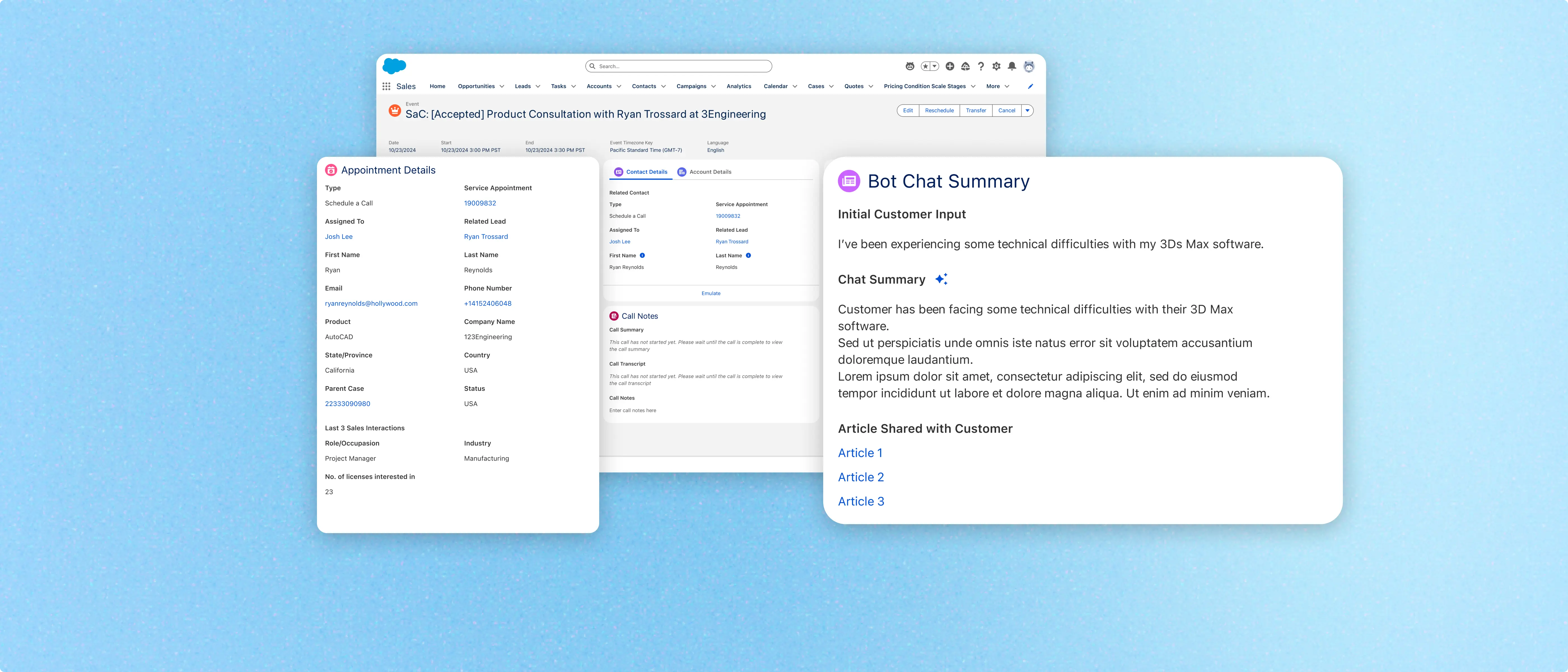
Pre-Call Intelligence for Autodesk Assistant
Designed the agent-facing experience for Autodesk's AI-powered assistant, helping sales reps and customer success agents walk into every scheduled conversation with the context they need.
Year
2024 - 2025
company
Autodesk
Role
Product Designer
Timeline
6 Months
Impact
20min→
2min
Estimated reduction in pre-call context gathering per agent interaction
200+
Sales and customer success agents now supported across NAMER
Dozens
daily
Live chats and scheduled calls handled through the assistant
Context
Autodesk was expanding its AI-powered assistant (Autodesk Assistant) to route inbound prospects and customers to either a digital sales rep or a customer success agent, for a live chat or a scheduled call. Before every interaction, agents had to manually pull context from four or five separate Salesforce objects (events, contacts, accounts, call logs, bot chat transcripts) piecing together a picture of the customer before they could even begin the conversation.
Goal
To consolidate that fragmented context into a single, role-specific view so that agents could walk into every sales or support interaction already knowing what they needed to know, without the pre-call scramble.
What I Did
I led UX across the agent-facing side of the program, starting with discovery. I ran shadowing sessions with sales reps and customer success agents as they took live inbound chats and scheduled calls, observing their process firsthand to understand where context was missing and what that cost them. That research resulted in designing two distinct briefing views, one for sales and one for customer support, each surfacing what that agent type actually needed before picking up the conversation.
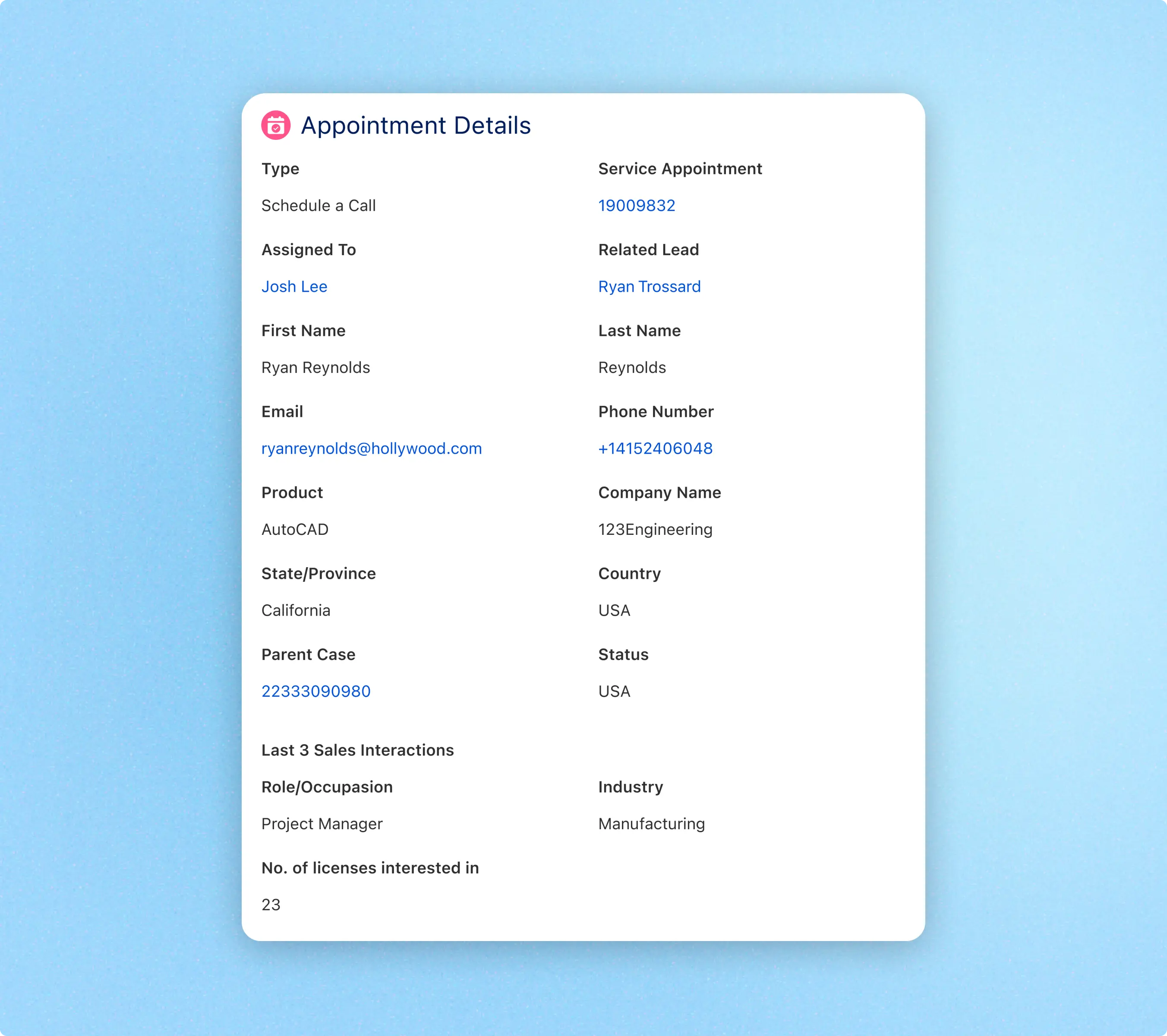
Appointment Details
This module surfaces all appointment related details that have been gathered from the customer’s chat with Autodesk Assistant that lead to the appointment being scheduled.

Summary of Initial Interaction
An AI-generated summary of the chat interaction is produced to surface all relevant context of that interaction to inform the agent, including any links shared.
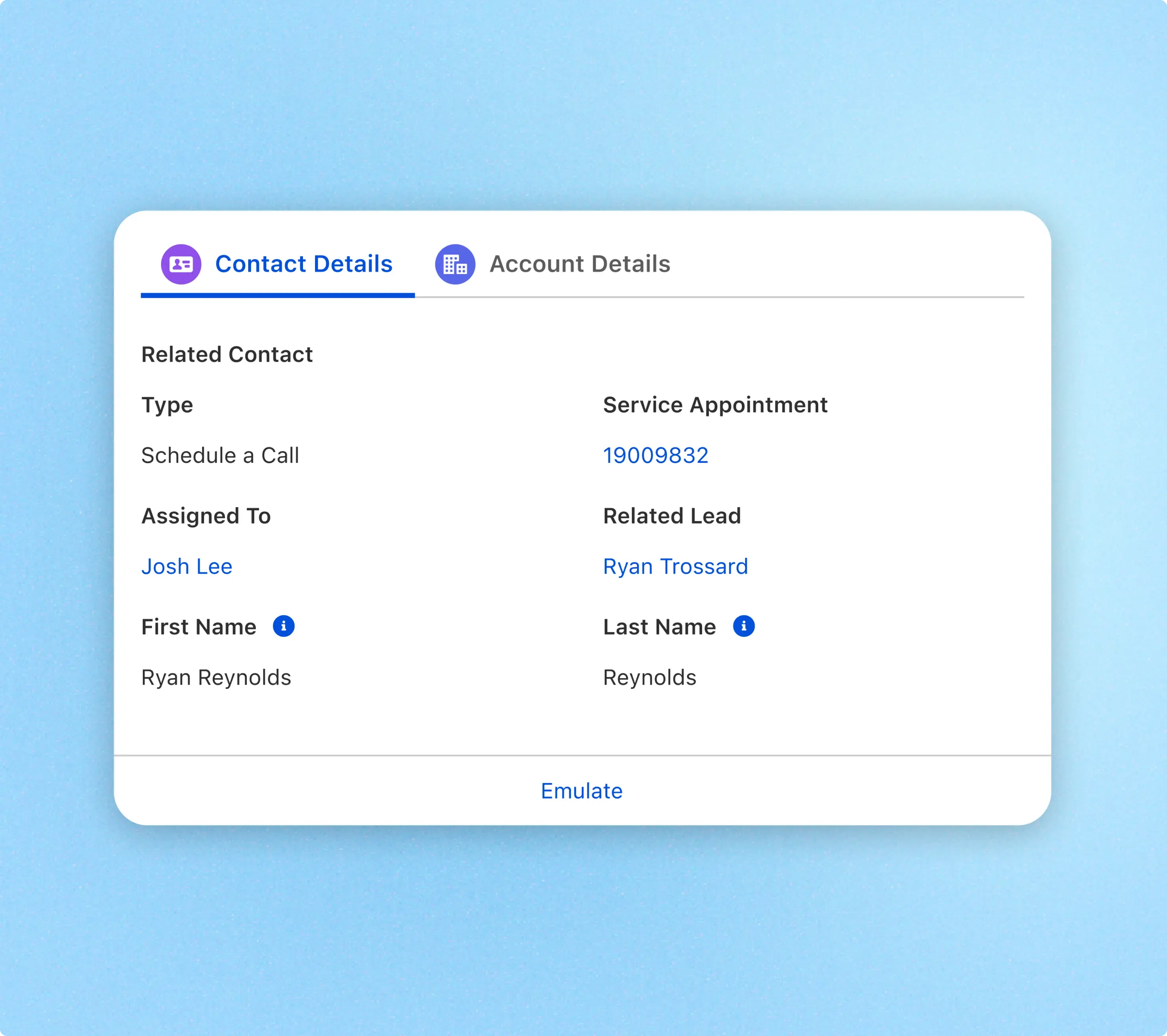
Crucial Account & Contact Information
Every data point surfaces its source on hover, giving reps the confidence to act on what they're seeing without needing to cross-reference another tool.
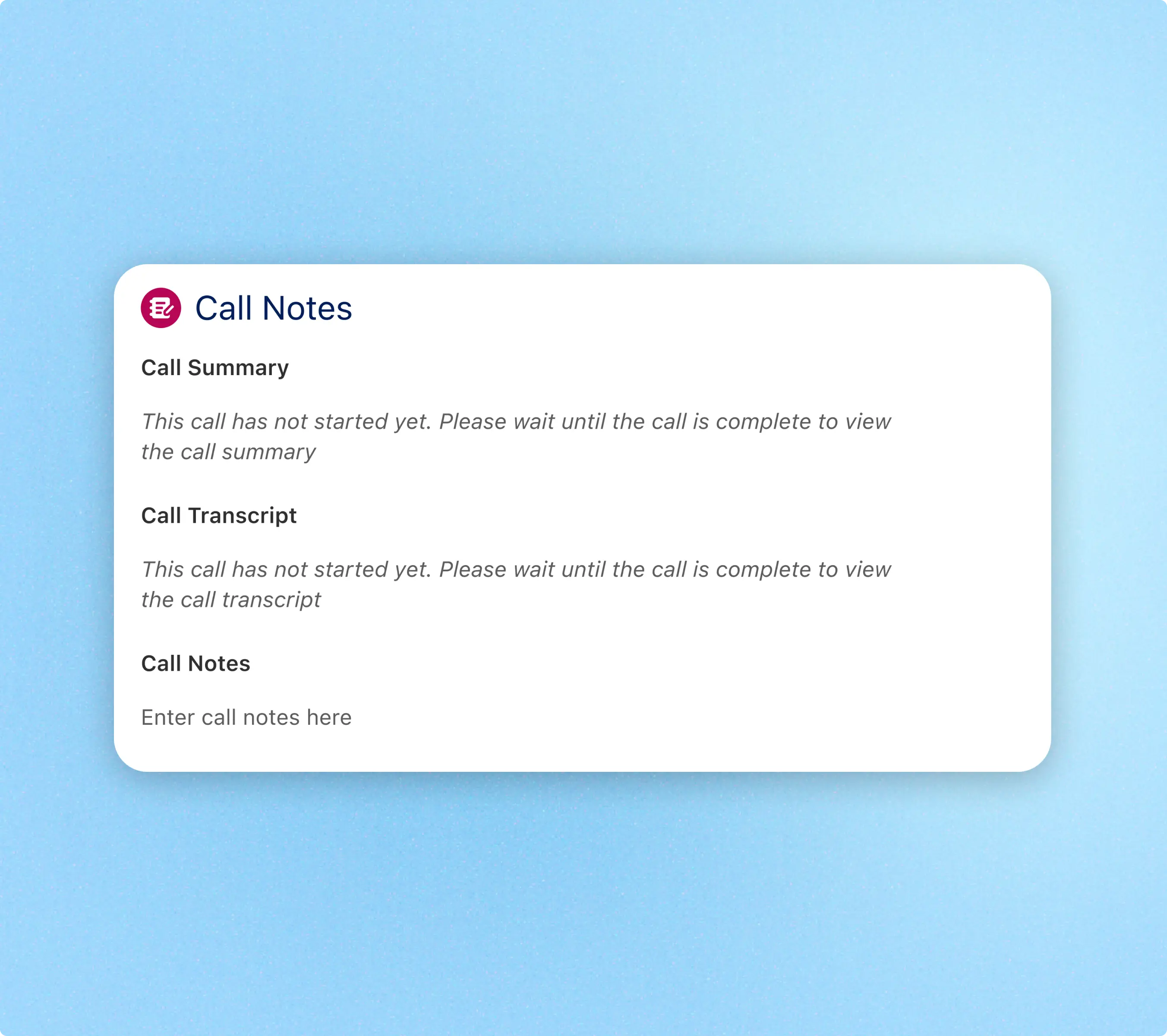
Post-call Information
Post-call, agents can add call notes to go along with a generated call summary and call transcript that agents can come back to.
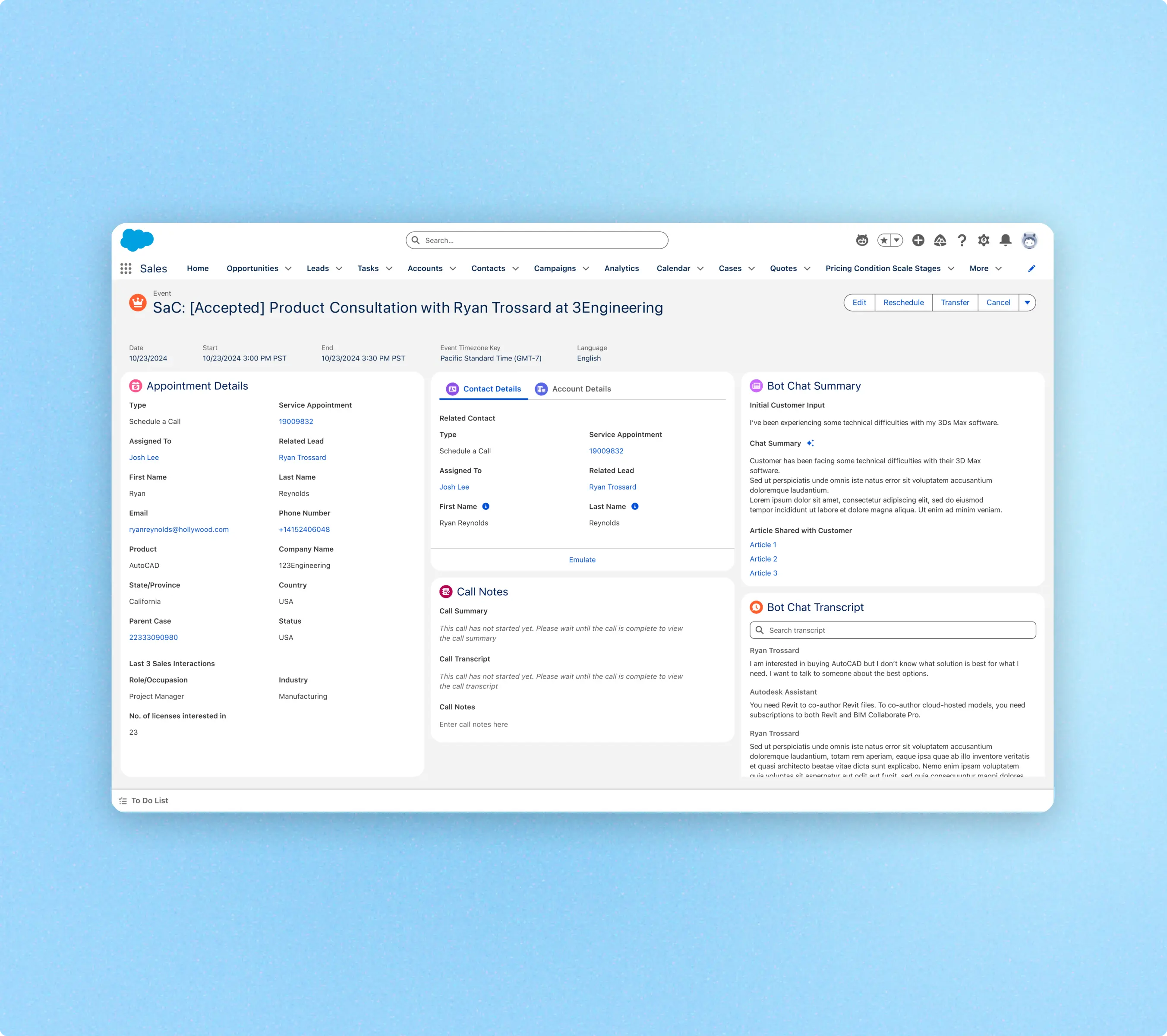
Sales Version
The sales version of the page features information more relevant to the customer’s interests and what can help the rep make a push for the sale.
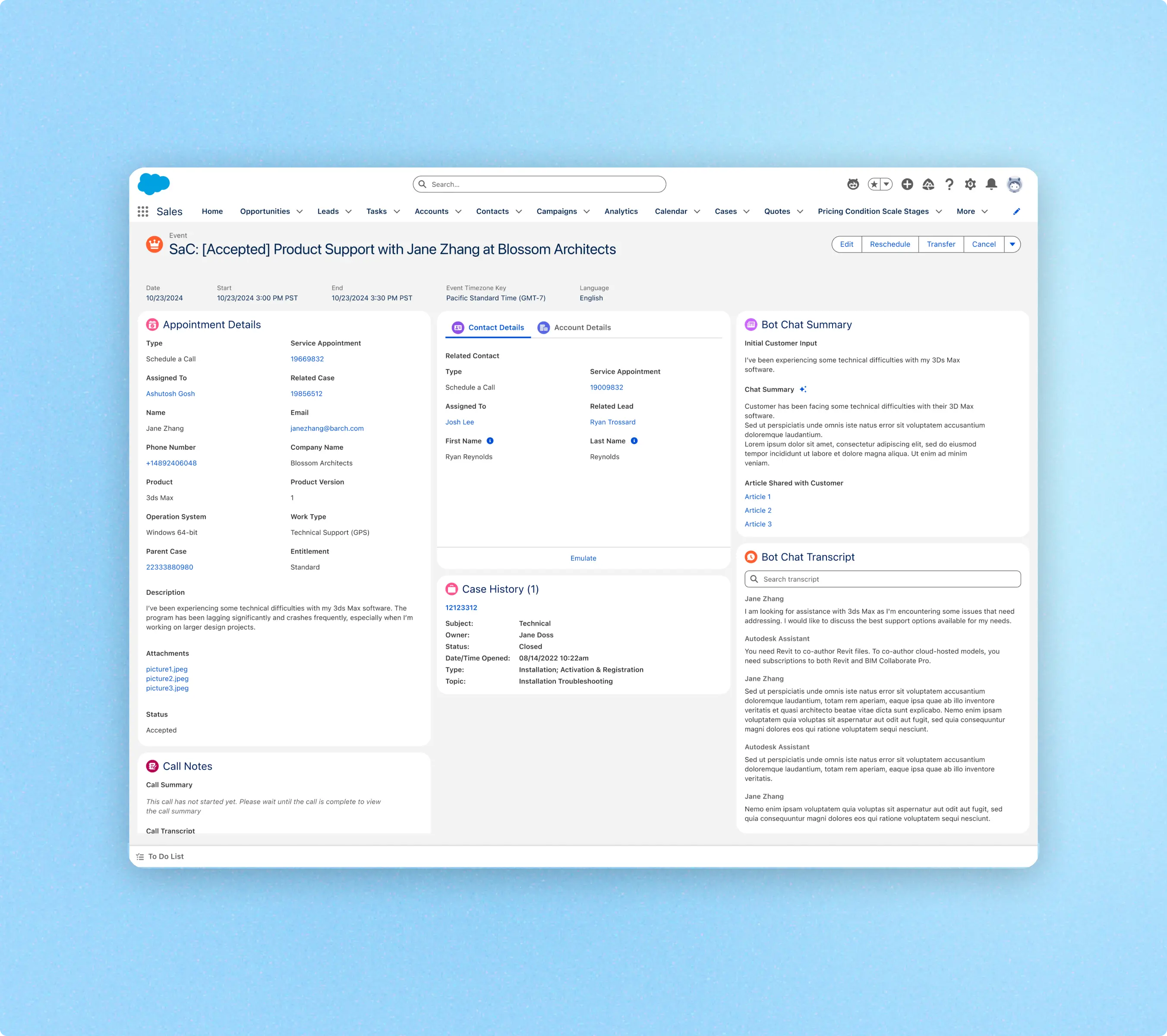
Customer Support Version
The customer support version surfaces the customer description of the problem, and any past cases they might have (open/closed) that could help give the agent any more context.
This project was part of a larger initiative to support Autodesk’s launch of it’s Autodesk Assistant.
Please reach out if you’d like a detailed walkthrough of this work and how it impacted the overall success of the Autodesk Assistant.